Support Appointment Form
Please fill out the following information so we can provide you with timely phone support.


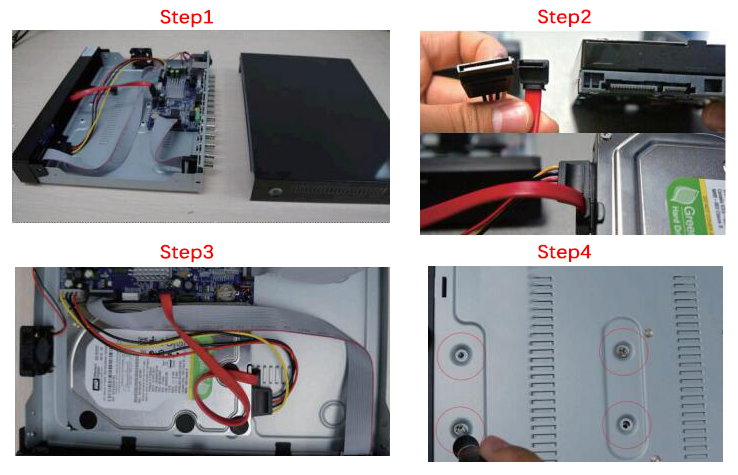
How to install hard drive
Step1: Turn off the NVR, unscrew the top cover.
Step2: Plug the SATA and power cables into the corresponding ports on HDD.
Step3: Place the HDD. (check the cables and don’t twine)
Step4: Hold the hard drive and turn the NVR over, position the screw holes on the HDD to the holes on NVR, screw and fix the HDD.
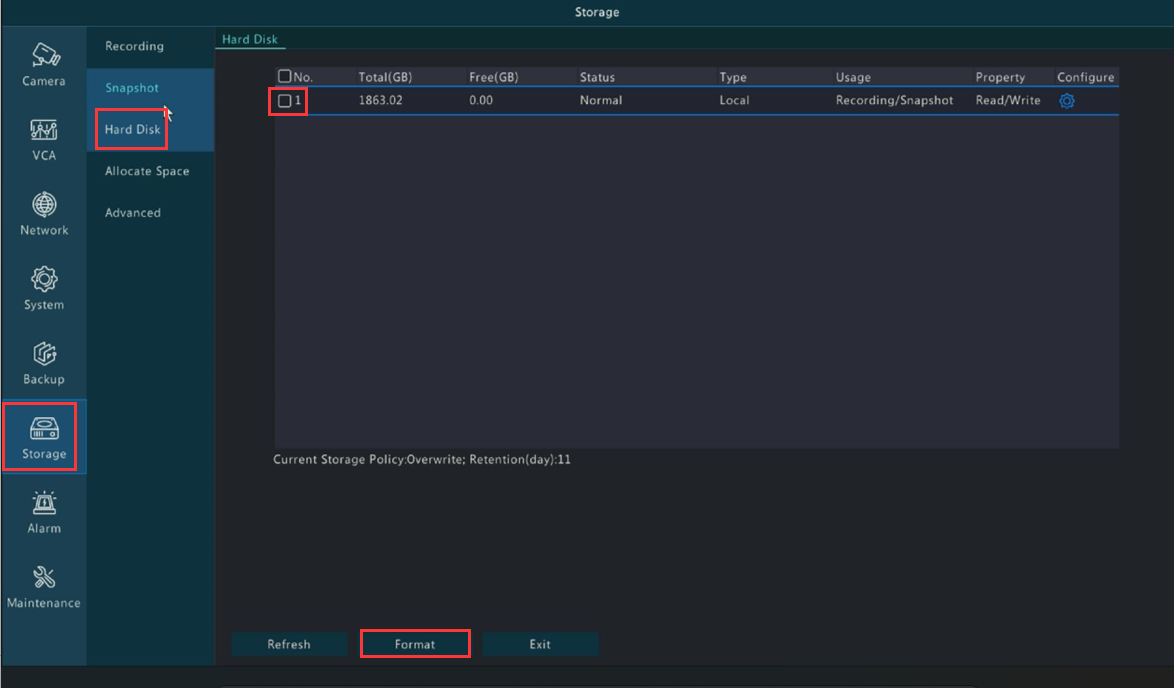
Step5: Right click the mouse on your monitor, go to【Menu】-->【Storage】-->【Hard Disk】,select the hard drives and click【Format】to format the hard drive