Support Appointment Form
Please fill out the following information so we can provide you with timely phone support.



Set Up AcuSearch
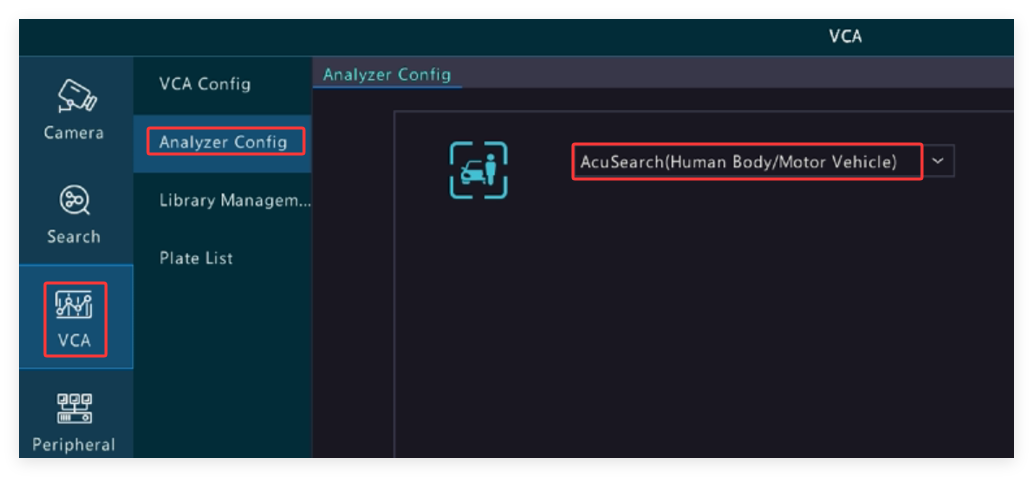
Change NVR to AcuSearch Mode
Right-click the NVR mouse, choose Menu-->VCA-->Analyzer Config, choose AcuSearch (Human body /Motor Vehicle)
1. AcuSearch on Live video
1) Left-click on the live video, click
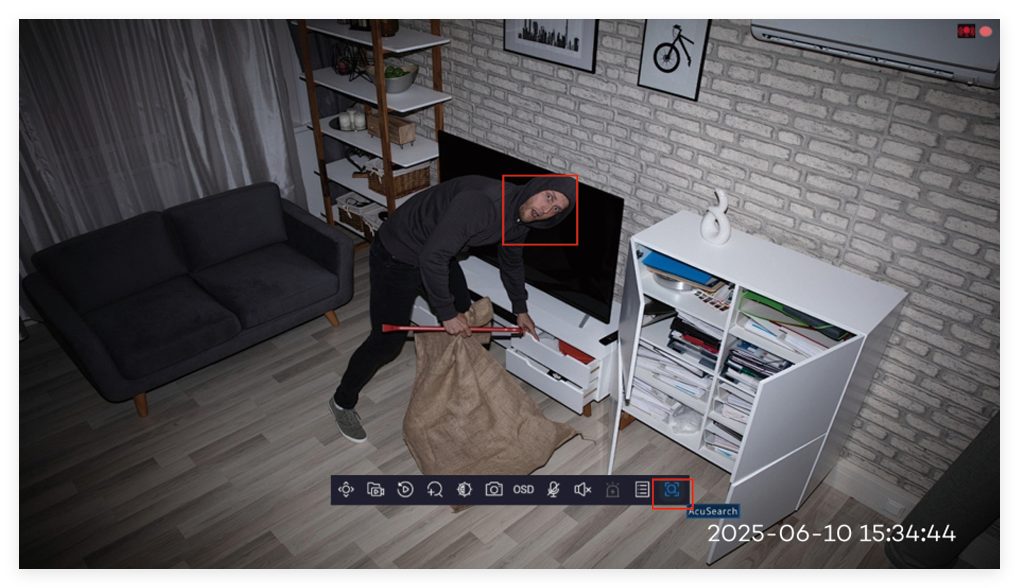
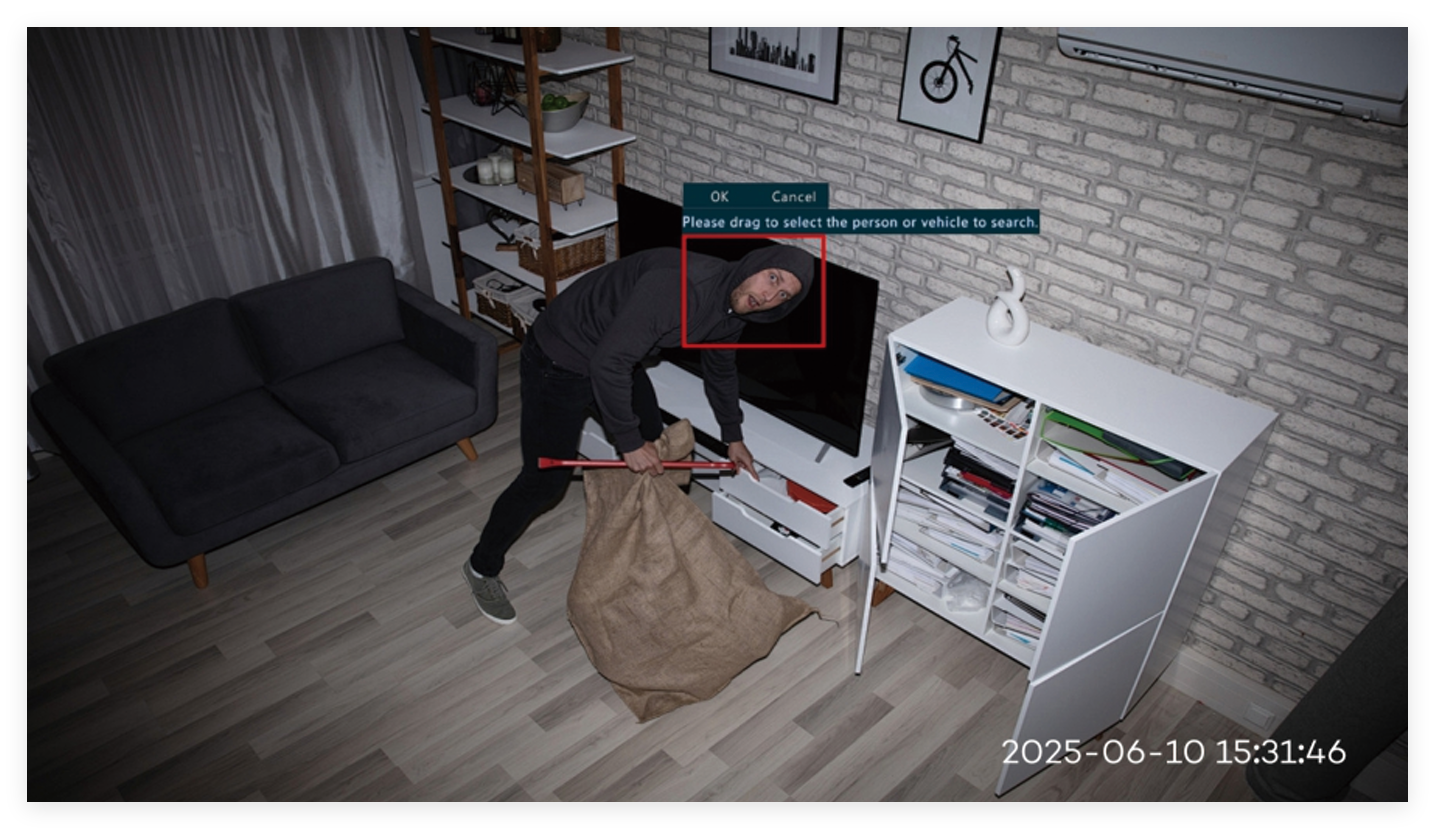
2) Draw a box to select the human (select the entire body if possible) you want to search, click on OK to search.
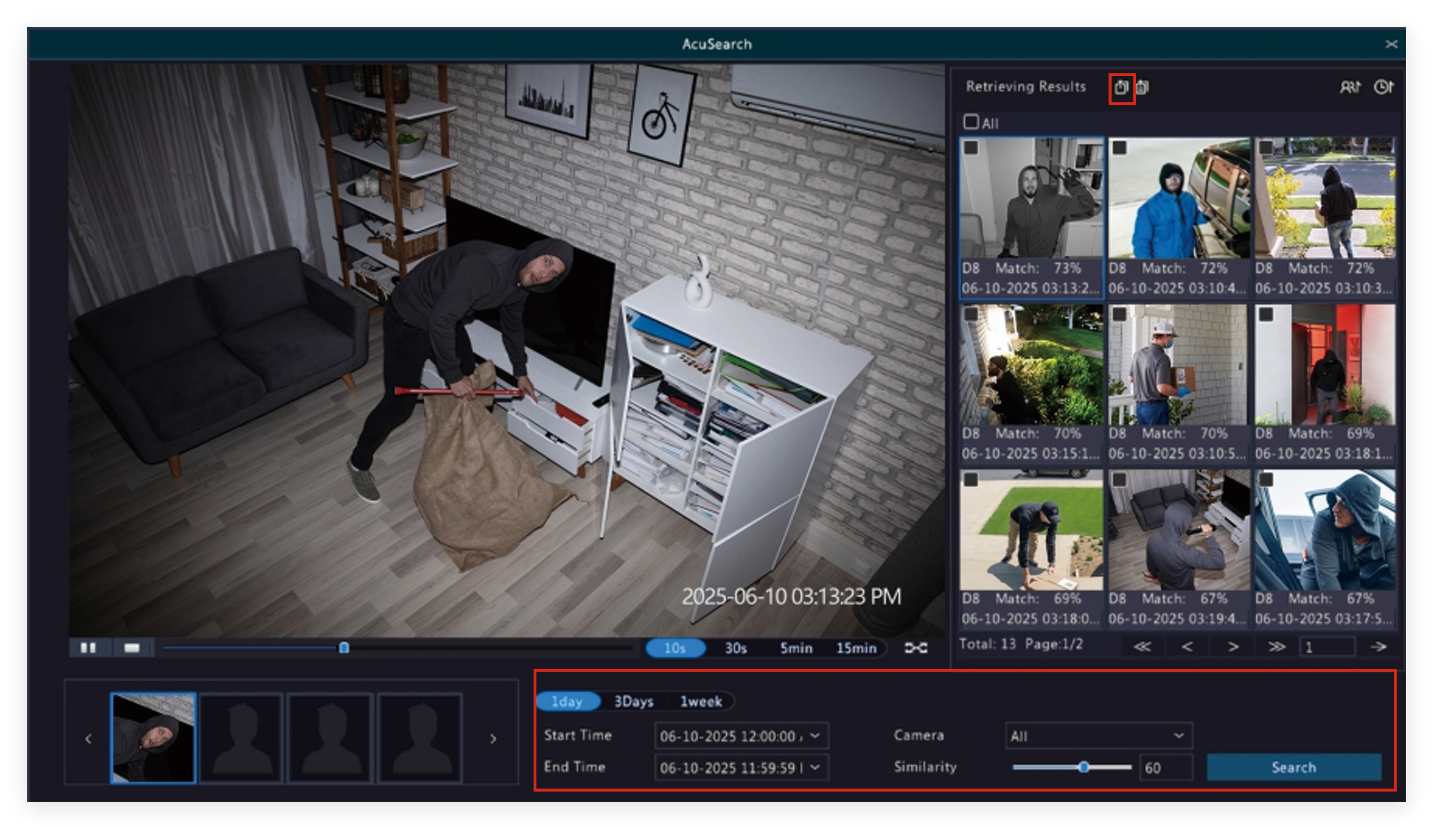
3) Check the pictures and video you need, click on  to backup.
Tips: 1. Insert a USB disk into the NVR USB port before backup.
2. Change Date and Time, Cameras and Similarity on the bottom of the screento search more.
2. AcuSearch on Playback
1) Right-click your mouse and choose Playback. Select camera and date to play back. Click on the right corner.
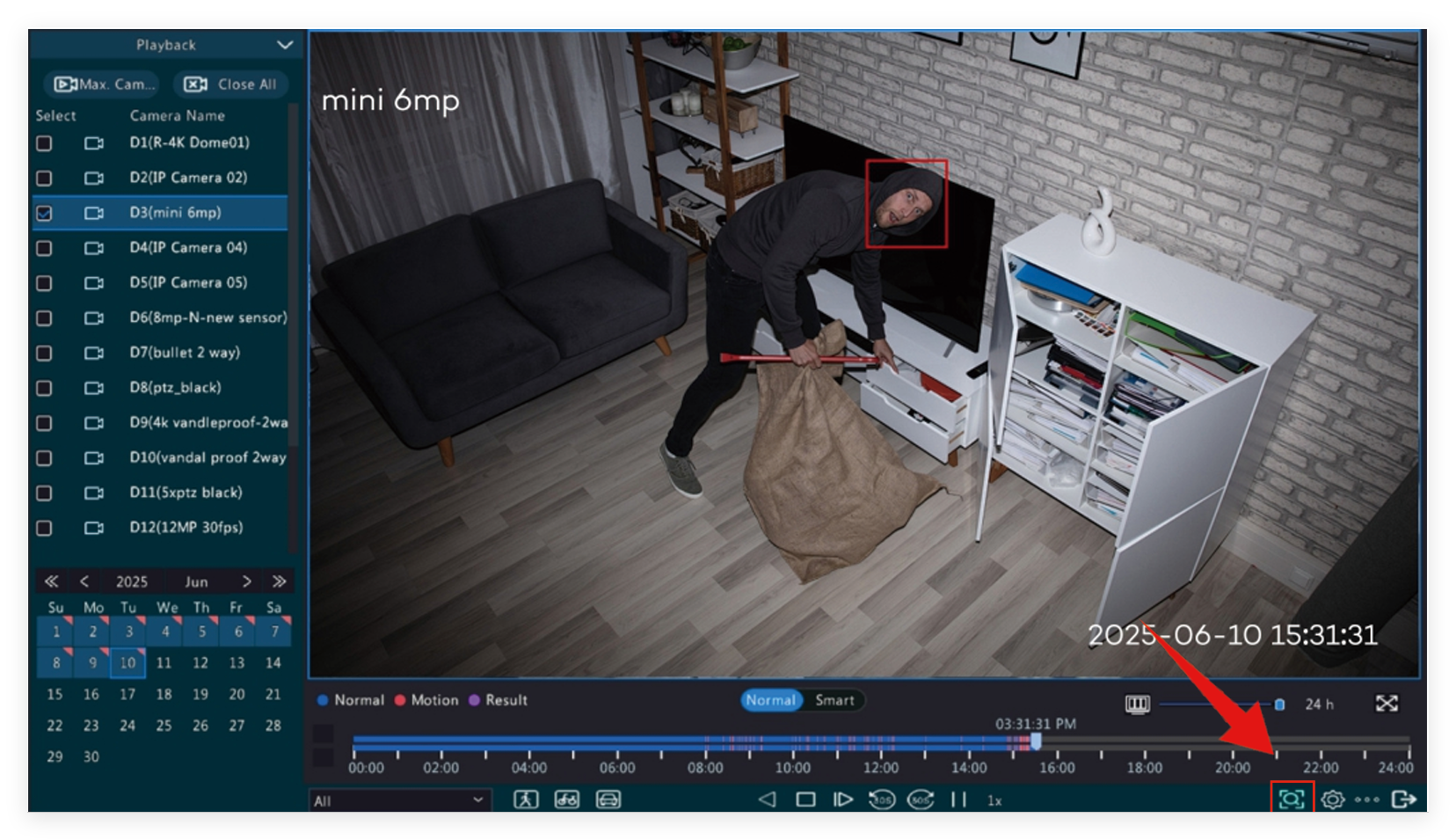
2) Draw a box to select the human (select the entire body if possible) you want to search, click on OK to search
3) Check the pictures and video you need, click on to backup.
Tips: 1. Insert a USB disk into the NVR USB port before backup.
2. Change Date and Time, Cameras and Similarity on the bottom of the screento search more.