Support Appointment Form
Please fill out the following information so we can provide you with timely phone support.



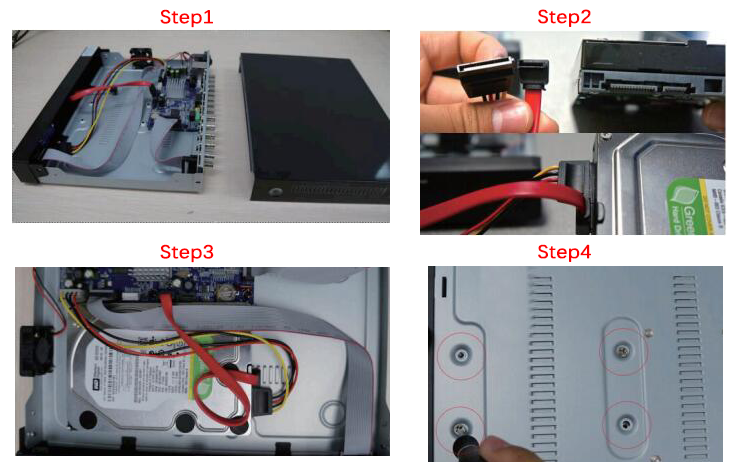
How to install a hard drive
Step1: Turn off the NVR, unscrew and remove the top cover.
Step2: Plug the SATA and data cables into the corresponding ports on HDD.
Step3: Place the HDD. (mind the cables and don’t twine)
Step4: Hold the hard drive and turn the NVR over, position the screw holes on the HDD to the holes on NVR, screw and fix the HDD.
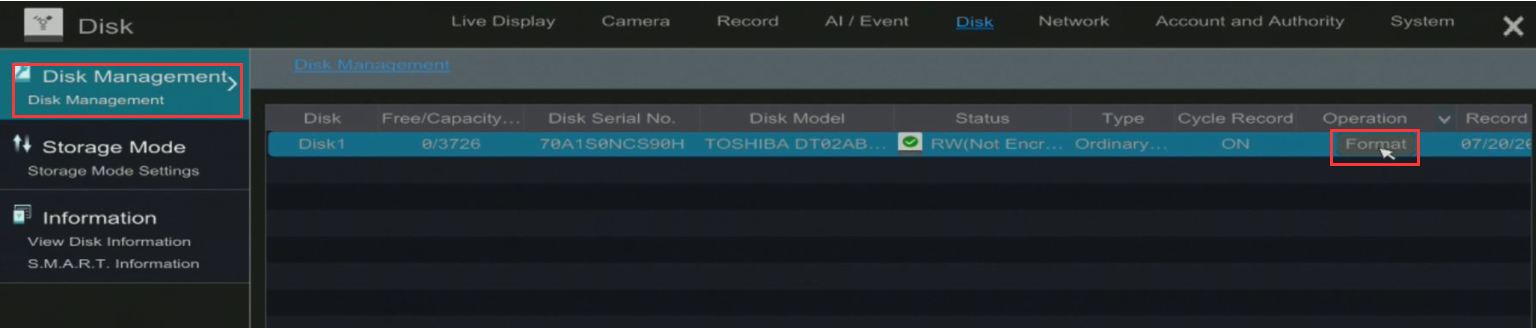
Step5:Move your mouse to the bottom left of your monitor, go to【Settings】-->【Disk】-->【Disk Management】, click【Format】to format the hard drive