Support Appointment Form
Please fill out the following information so we can provide you with timely phone support.



How to disable red box on camera image
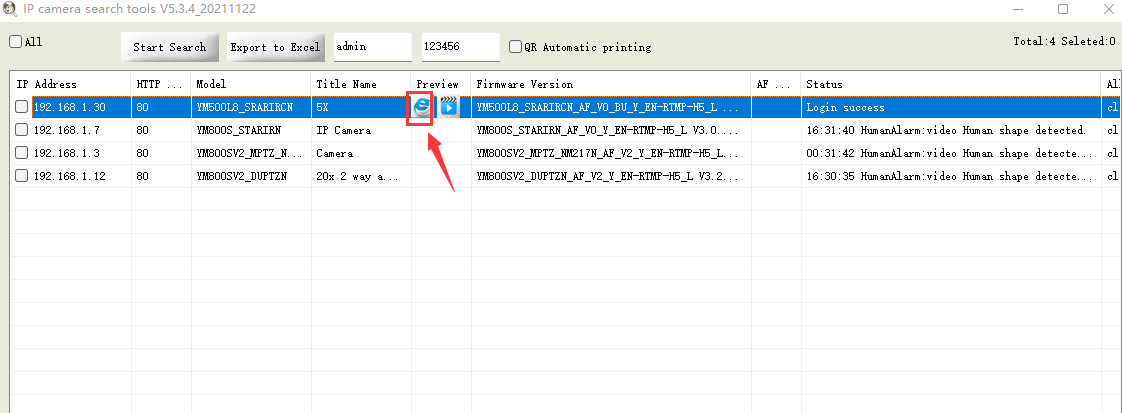
3. Please open SearchTools on your computer and search the cameras. Move your mouse to Preview behind the camera, click on"e" to go to web client.
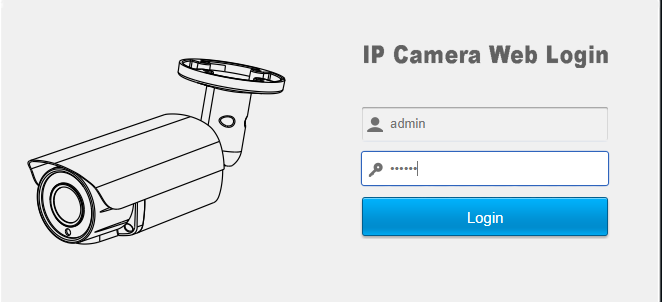
4. Your browser will open a web page automatically. Login the camera web page using Username: admin Password: 123456
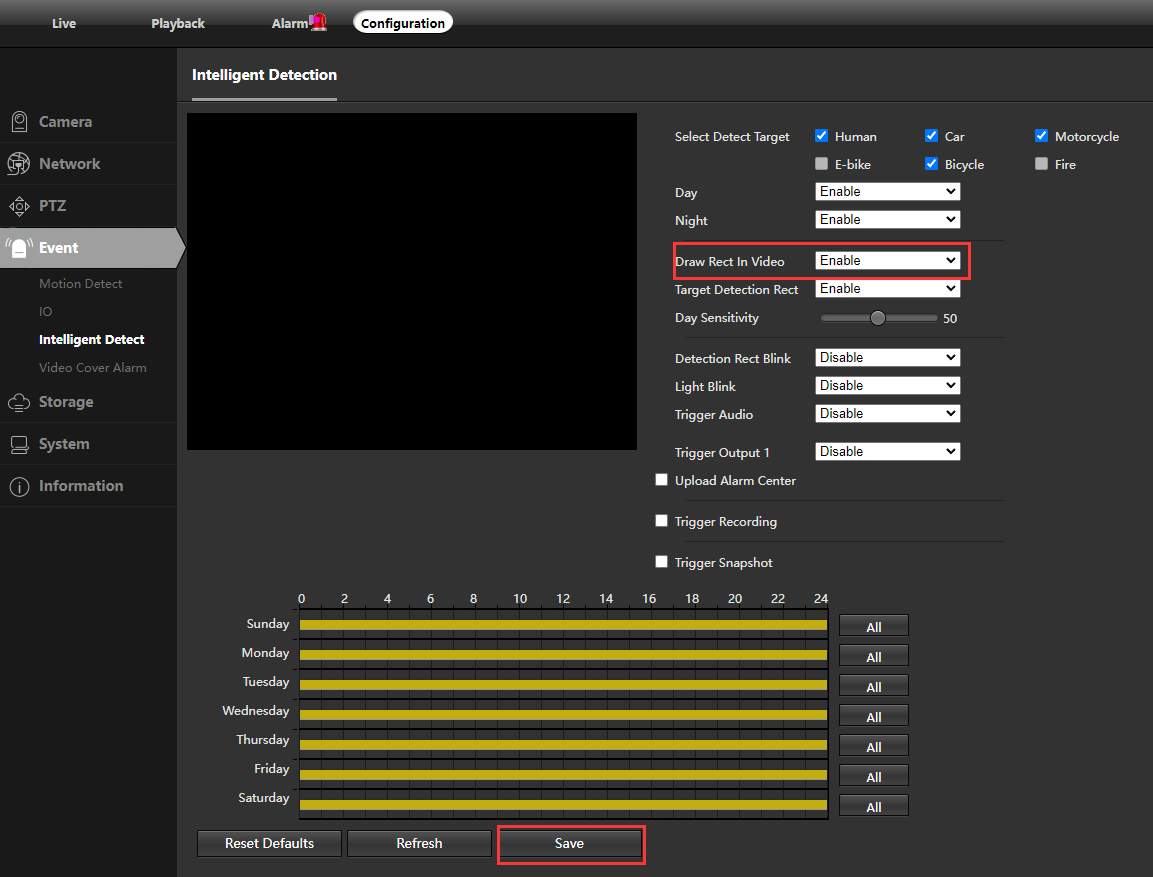
5. Choose Configuration—Event—Intelligent Detect, disable Draw rect in video, click on Save.