Support Appointment Form
Please fill out the following information so we can provide you with timely phone support.



View video on PC client software GuardStation 3
Please download the PC client software at:www.onwote.com
Support--> Download Center--> Software--> NVR3O....Series
Download the PC client software on Windows PC or MAC,install Guard Station.
Tips: If your MAC doesn't allow to install the software, go to System Preference,
choose Security& Privacy, click Open Anyway to allow your MAC to install the
software.
a. Launch Guard Station and create an Administrator. Enter a password and click on
Next. Set security questions and click on OK.
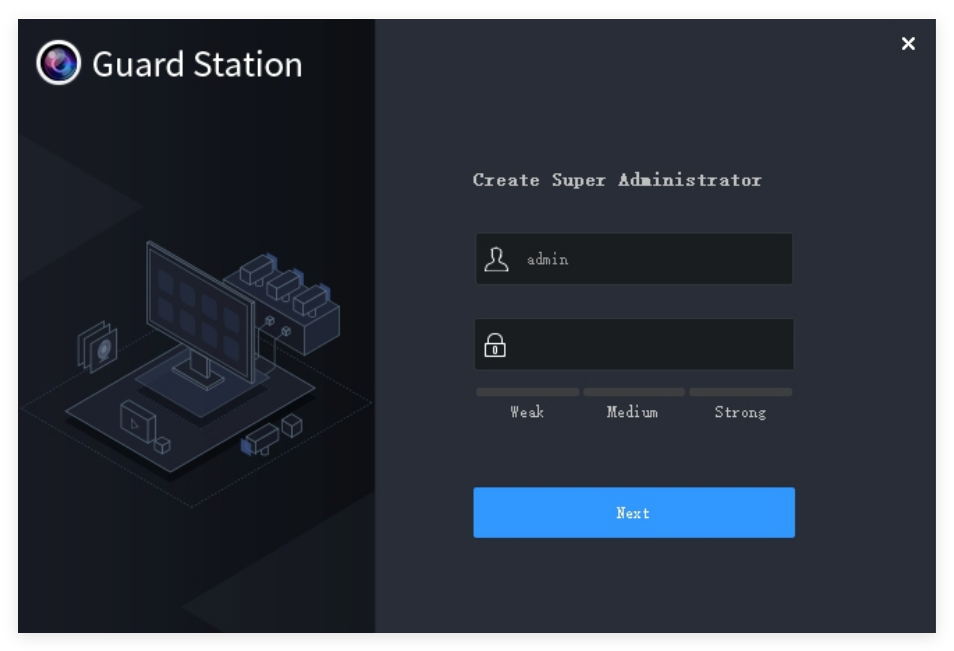
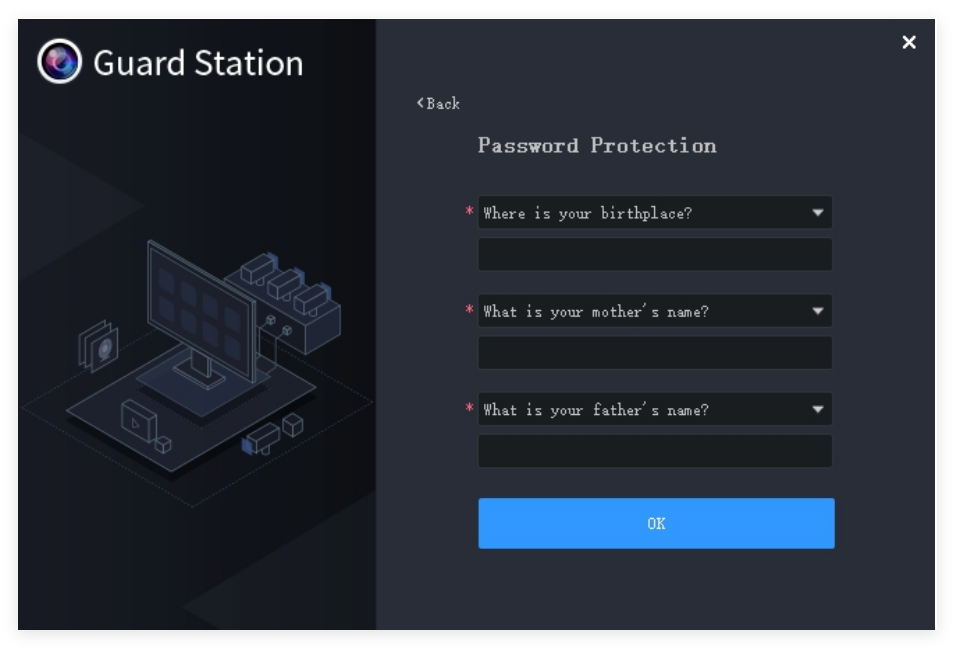
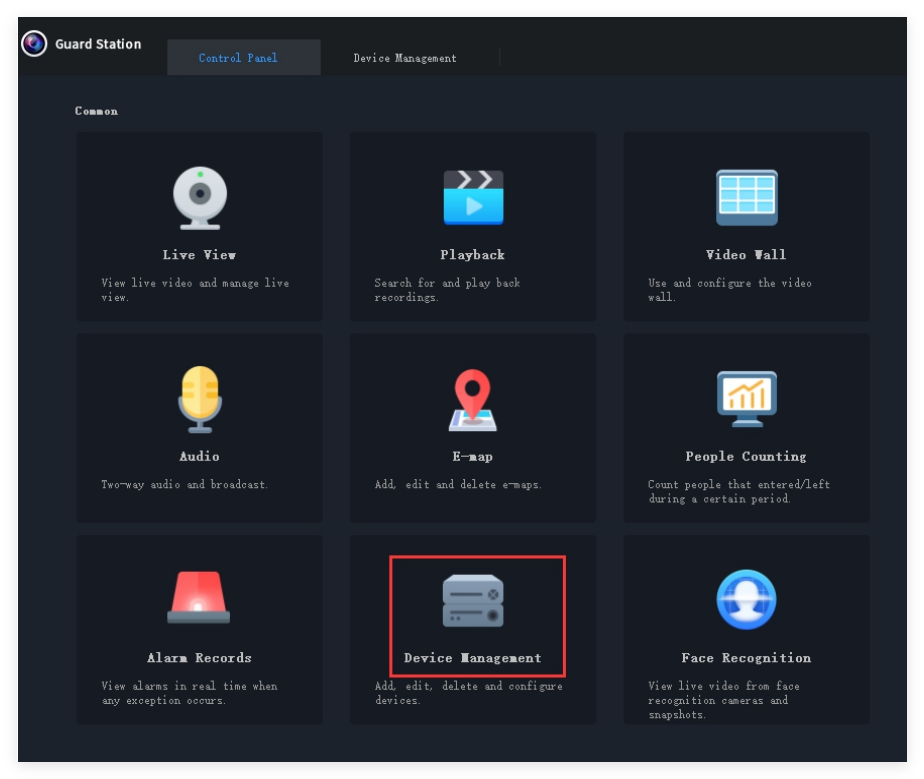
b. Login with the user you created. Go to Control Panel, click Device Management to add device.
c. Click Cloud Device and Register to register a cloud account (If you've already registered an account on your mobile app-Elink Defense or GuardViewer, login with that account directly).
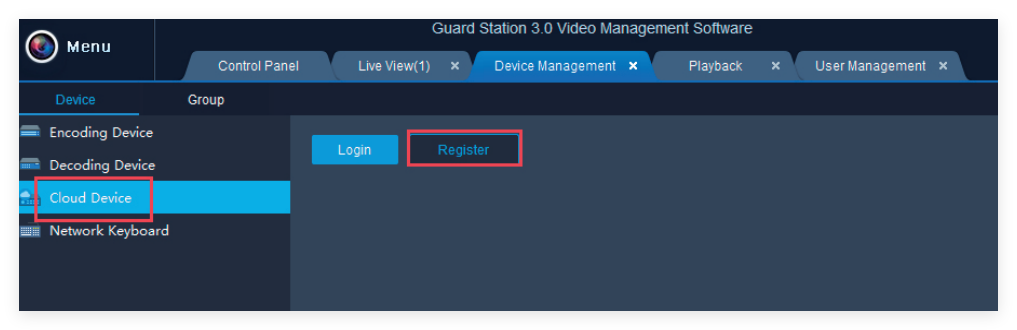
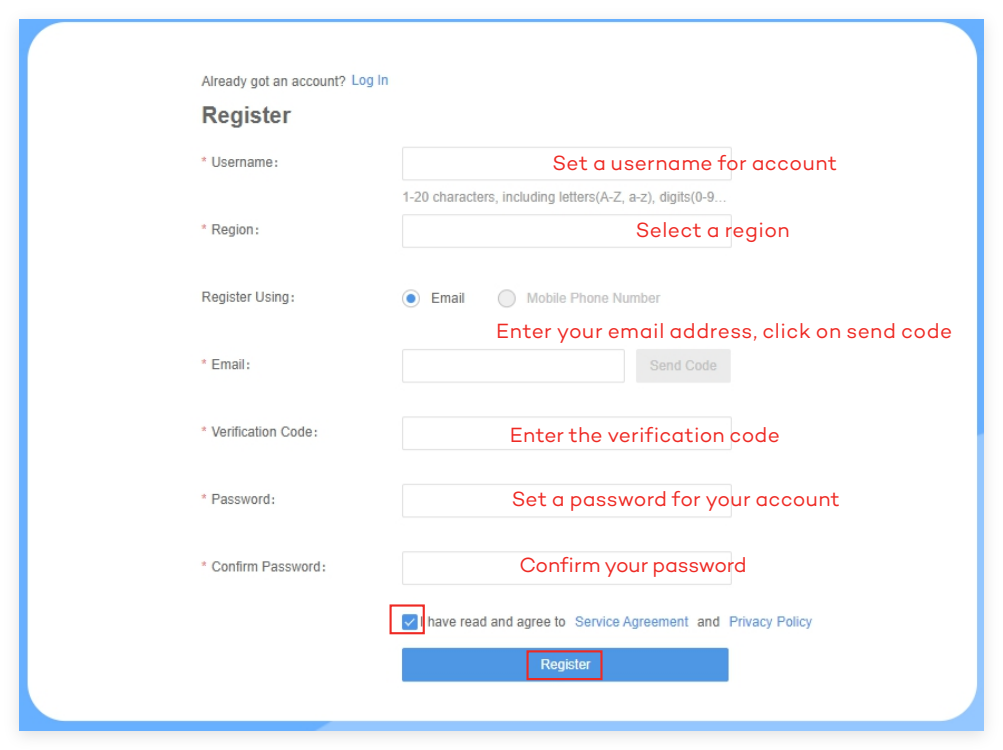
d.Type in a username, select region, enter your email address,verification code and
set a password,click Register to sign up an account.
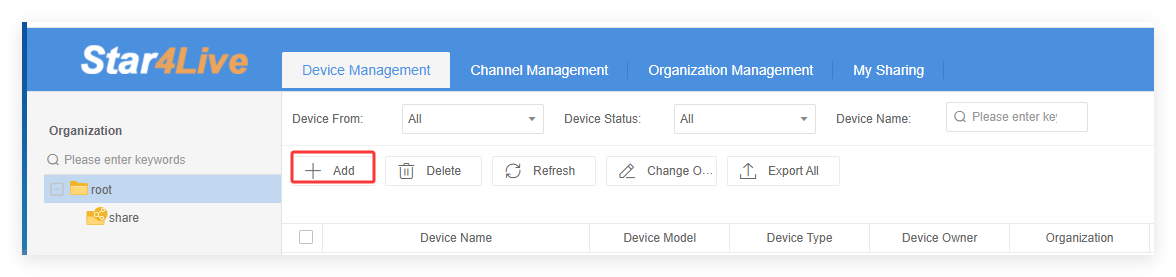
e. Click +Add to add device.
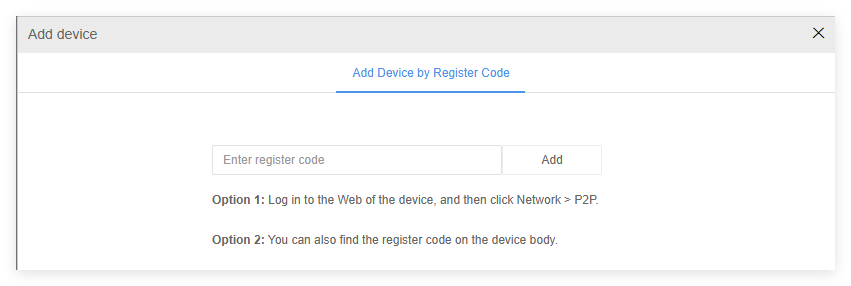
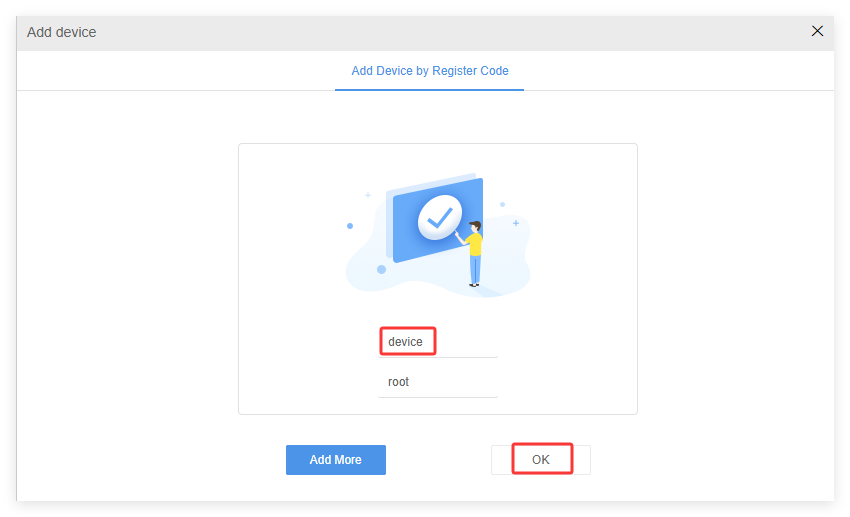
f. Input the Register Code and click on Add. Then set a name for your device and click on OK.
(How to get Register code?-Right click on the NVR monitor,choose Menu-->Network-->Basic-->P2P to get the register code)
g. Go back to your PC client software- Guard Station, login with the account you registered.
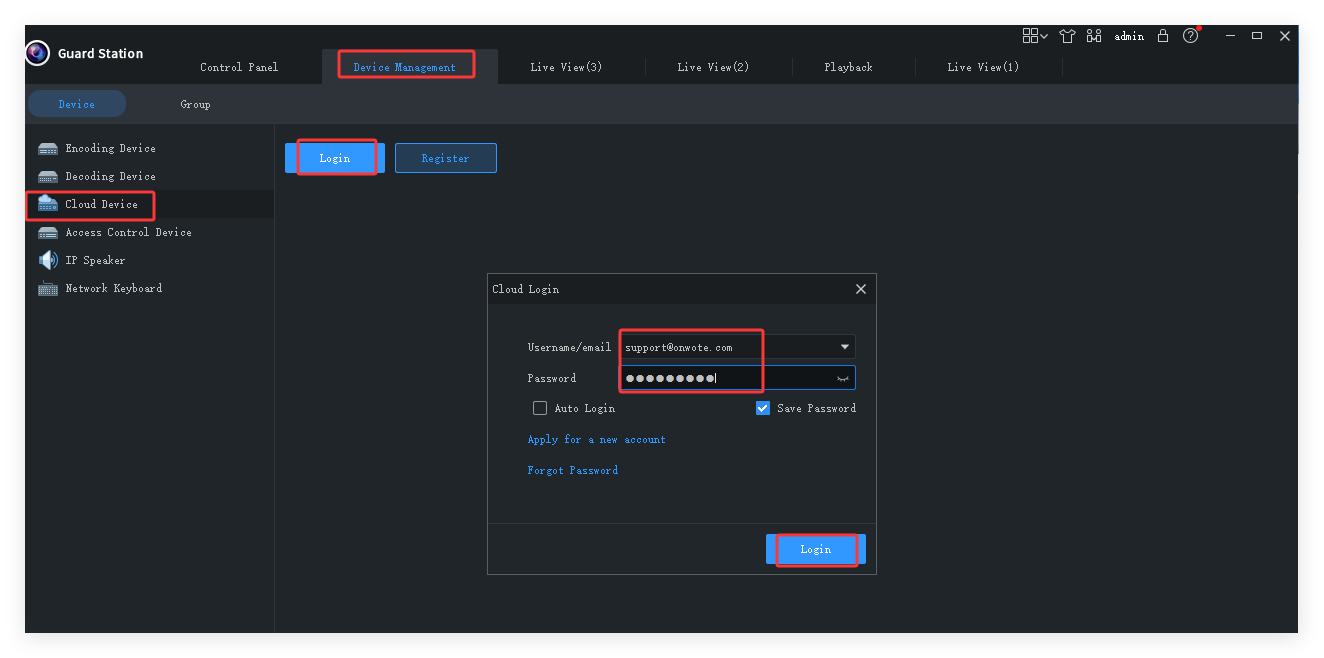
h. Go to Live View and double click the device to view live video.
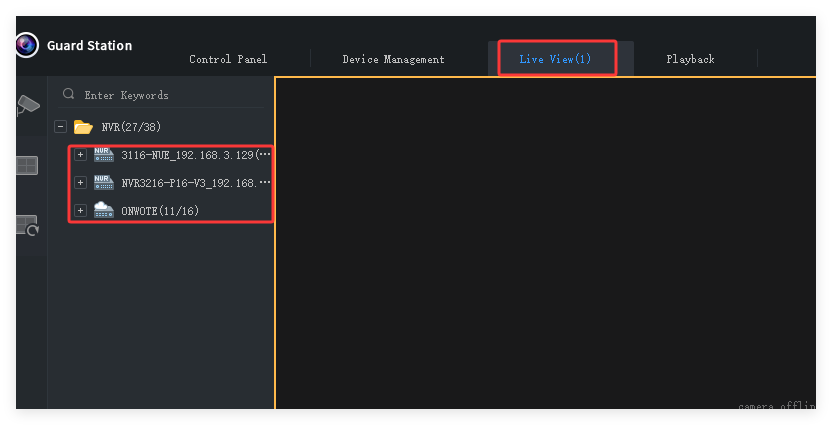
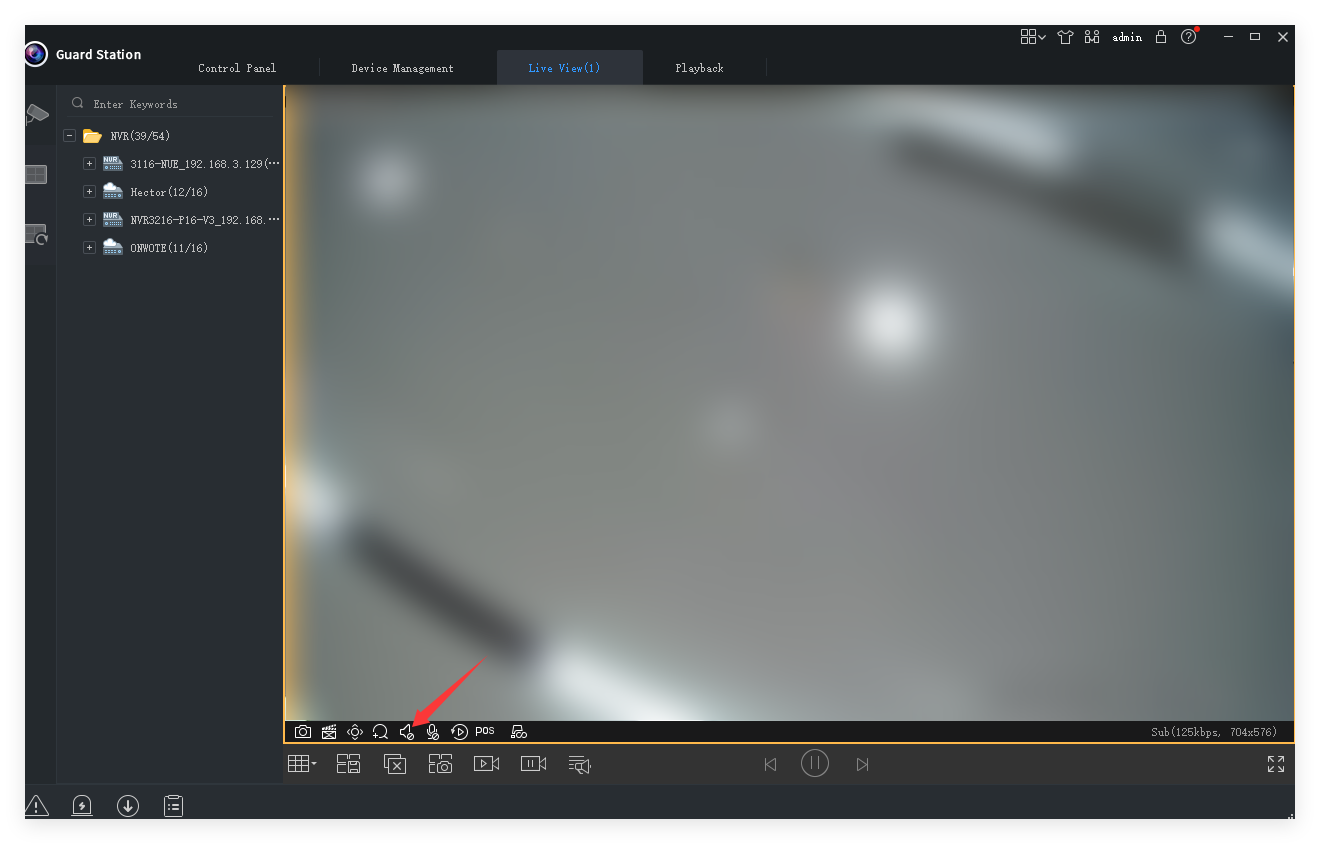
For audio cameras, move mouse to the channel to show up menu, click to playaudio.