Support Appointment Form
Please fill out the following information so we can provide you with timely phone support.



How to setup Human detection/Vehicle detection area
1. Please rightc click your mouse on NVR monitor, choose Menu--VCA--VCA Config.
2. Select a camera, checin in the little box in front of Human Body Detection/Vehicle Detection.
3. Click  behind Human Body Detection/Vehicle Detection.
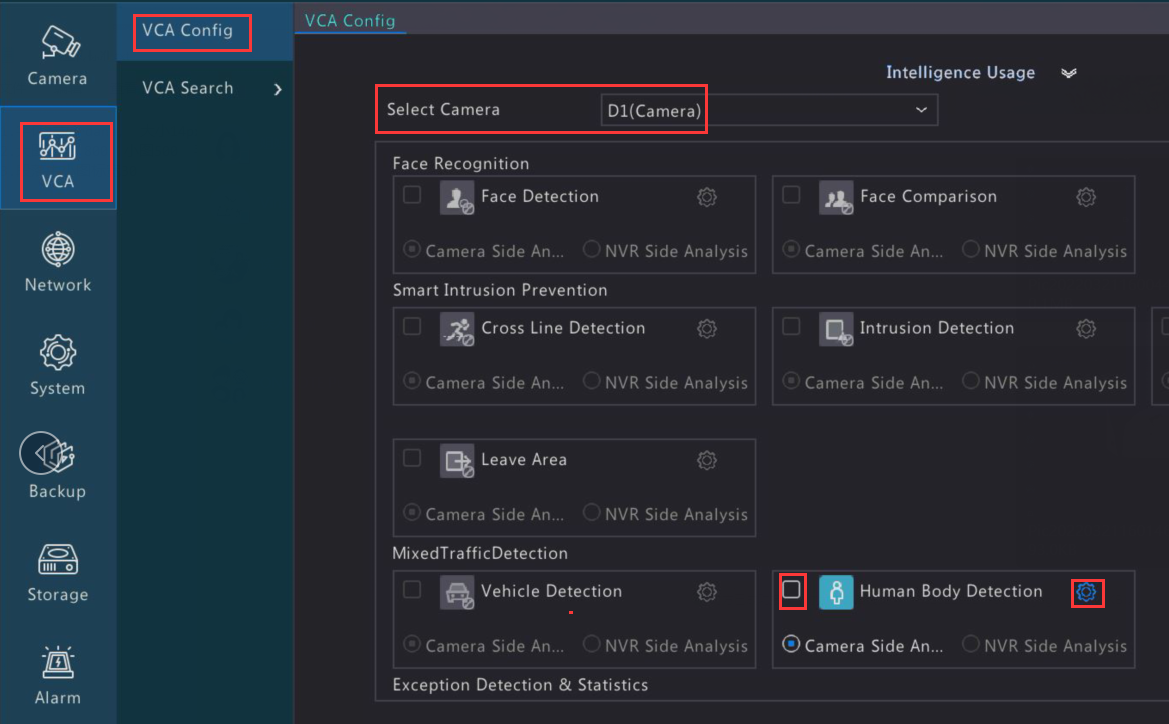
4. Click Draw , then draw area on the image on the left side. Click Apply on the bottom to save changes.
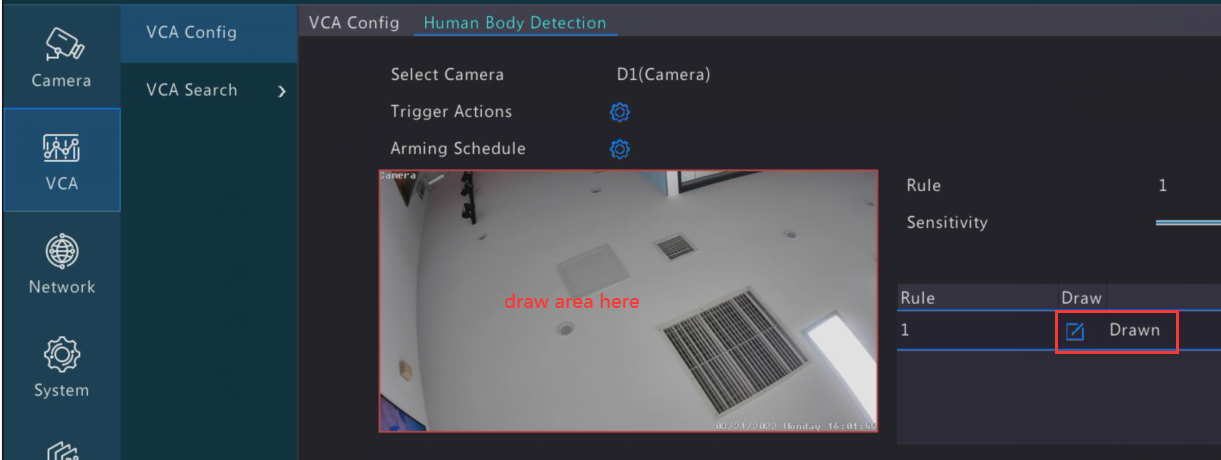
Note: If you cannot find Human Body Detection Area on VCA page, please go to Alarm--Human body detection to set detection area.