Support Appointment Form
Please fill out the following information so we can provide you with timely phone support.



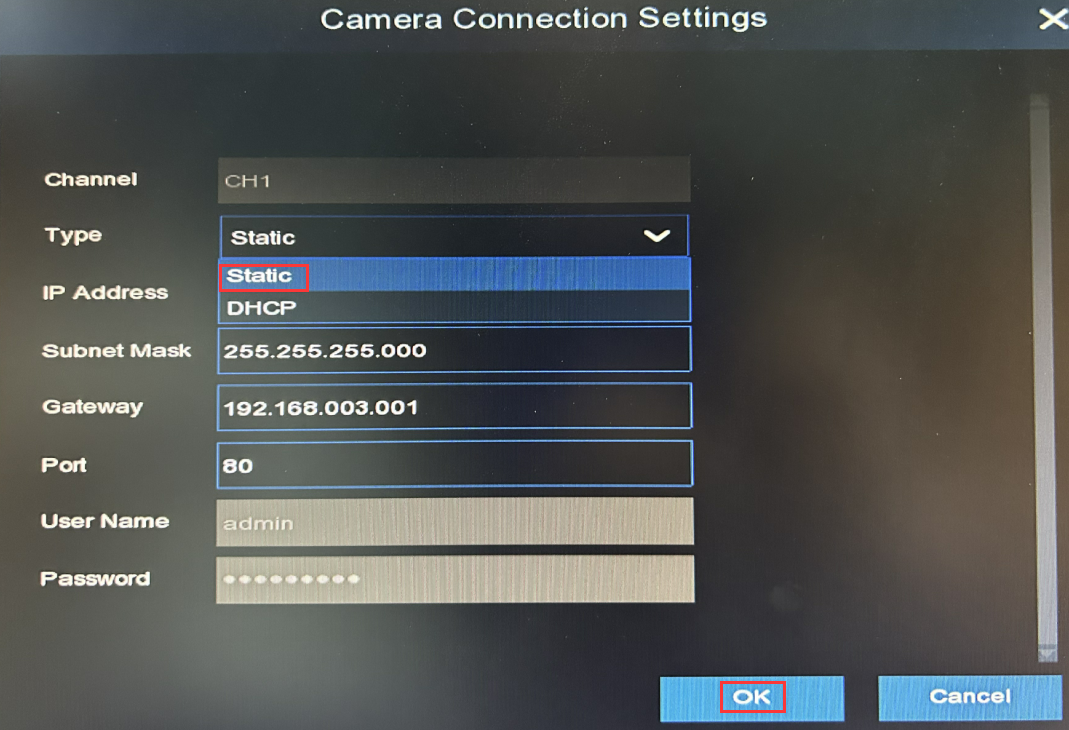
Change camera to static ip address mode
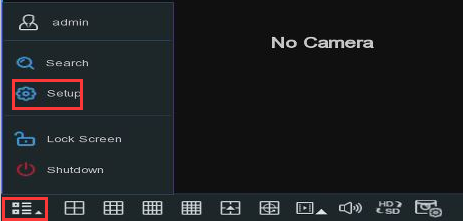
1. Please move your mouse to the bottom left corner of your monitor, click on  on the bottom left corner, choose Setup.
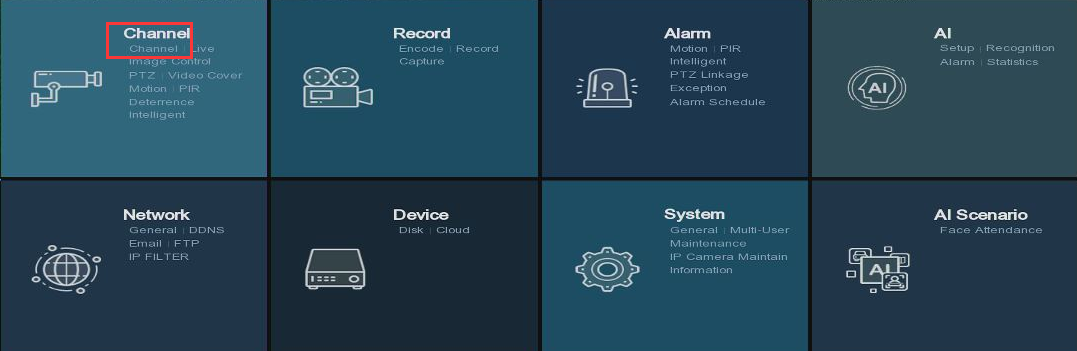
2. Choose Channle
3. Clcik  on the right side of the camera you want to change.
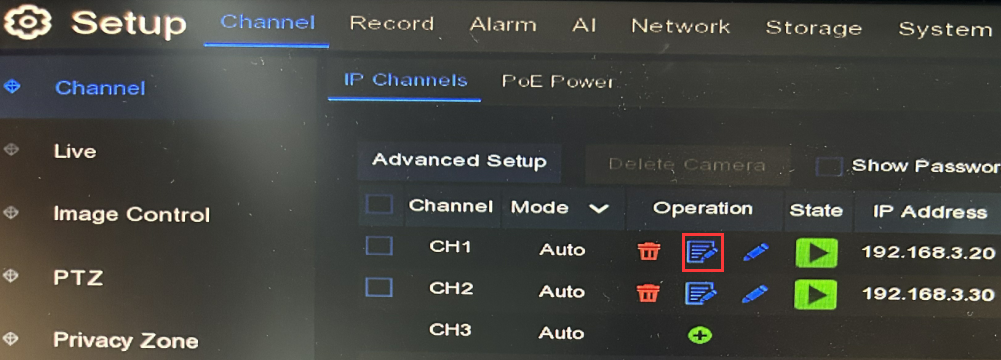
4. Change Type to Static, click OK. Then click Apply to save changes.